SEO Audit Checklist: How to Find Ranking Issues Before 2027
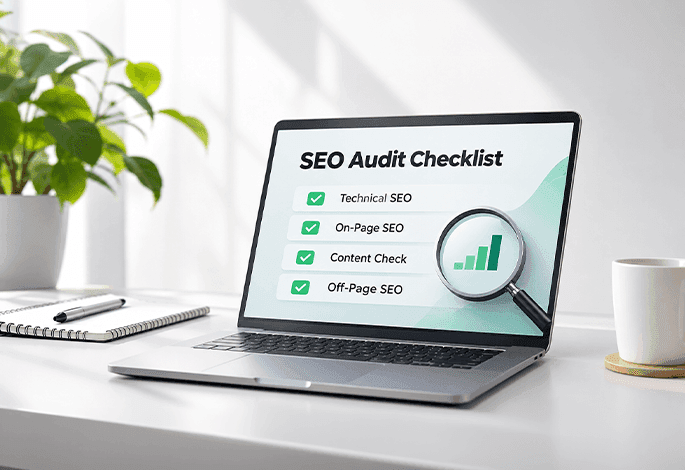
This SEO audit checklist is written for business owners, marketers, and site managers who suspect their website is underperforming but cannot tell why. It covers technical, on-page, content, and off-page checks in a logical order, so you can see what is holding rankings back and what to fix first.
What Is an SEO Audit?
An SEO audit is a structured review of a website's technical health, content quality, and authority to find issues that limit its visibility in search results. It produces a prioritised list of fixes, so your team works on what will move rankings instead of guessing.
What an SEO audit covers
Technical checks cover crawling, indexing, and loading. On-page checks cover titles, headings, and internal links. Content checks review quality and overlap. Off-page checks review backlinks and brand signals.
How an SEO audit differs from an SEO strategy
An audit diagnoses the current state of your site. A strategy decides where you want to go. The audit comes first, because a strategy built on unknown problems tends to stall.
Why Run an SEO Audit Before 2027?
Fixing problems now means you begin the next planning cycle on a clean foundation.
How ranking issues build up unnoticed
Most ranking problems are not dramatic. A product page is deleted without a redirect. A plugin update adds a stray noindex tag. Nothing visibly breaks, so nobody notices until traffic has slipped.
How algorithm updates and AI search change what matters
AI-generated answers now sit above traditional results for many queries. That raises the value of clear structure, direct answers, and clean technical foundations.
Signs your website needs an audit now
- Organic traffic has dropped without an obvious cause.
- Important pages are not indexed.
- Pages load slowly, especially on mobile.
- You recently redesigned the site or changed URLs.
SEO Audit Checklist at a Glance
- Technical: crawlability, indexing, structure, HTTPS, mobile, speed, links, duplicates, schema.
- On-page: titles, headings, intent match, images, internal links.
- Content: thin pages, cannibalization, gaps, E-E-A-T.
- Off-page: backlinks, harmful links, brand mentions.
- Local and AI readiness: business profile, listings, direct answers, FAQs.
Before You Start: Tools and Data You Need
Google Search Console and Google Analytics
Search Console shows indexed pages, queries, clicks, and errors. Analytics shows what visitors do after they arrive.
Crawling tools
Crawlers such as Screaming Frog or Sitebulb scan your site like a search engine, surfacing broken links, redirect chains, and missing tags.
Page speed and Core Web Vitals tools
PageSpeed Insights and the Core Web Vitals report in Search Console show how real users experience your pages.
Technical SEO Audit Checklist
A technical SEO audit comes first, because content cannot rank if search engines cannot reach it.
Crawlability and indexing
Confirm robots.txt is not blocking important sections. Make sure your XML sitemap lists only live, indexable URLs. Look for noindex tags on pages that should rank.
Site architecture and URL structure
Important pages should be reachable within a few clicks from the homepage, with short, readable URLs. If the structure has grown messy, a website design and development review can rebuild navigation for users and crawlers.
HTTPS and security
Every page should load over HTTPS with a valid certificate. Check for mixed content and make sure HTTP versions redirect to HTTPS.
Mobile-friendliness
Test key templates on real phones, since Google primarily uses the mobile version for indexing.
Page speed and Core Web Vitals
Review loading speed, responsiveness, and visual stability. Compress images and trim heavy scripts.
Broken links, redirects, and redirect chains
Fix internal links that lead to 404 pages. Replace redirect chains with a single direct redirect.
Duplicate content and canonical tags
Near-identical pages confuse search engines about which to rank. Check that canonicals point to the preferred version.
Structured data validation
Validate schema markup with Google's Rich Results Test and confirm it matches what users can see.
On-Page SEO Audit Checklist
An on-page SEO audit checks whether each page clearly signals what it is about and who it is for.
Title tags and meta descriptions
Every page needs a unique, clear title within display limits. Flag missing, duplicated, or truncated tags.
Heading structure
Each page should have one H1 and logical H2 and H3 headings that help readers scan.
Keyword targeting and search intent match
Search your target query and see what ranks. If top results are guides and your page is a sales page, the intent does not match, and optimisation alone will not fix it.
Image optimization and alt text
Compress images and write alt text that describes each image for screen reader users.
Internal linking and anchor text
Link important pages from related content using descriptive anchors.
Content Audit Checklist
Find thin, outdated, or duplicate content
Export your URLs with traffic data. Pages with little content, no traffic, and no links are candidates for improvement or removal.
Spot keyword cannibalization
When several pages target one query, they compete and none performs well.
Check for content gaps against competitors
Review topics competitors cover that you do not, focusing on questions your customers genuinely ask.
Decide whether to update, merge, or remove each page
Update valuable pages with dated information. Merge overlapping pages and redirect the old URL. Remove pages that serve no audience. A structured content marketing strategy makes these decisions repeatable.
Check E-E-A-T signals
Look for clear author details, cited sources, accurate claims, and visible updated dates.
Off-Page and Backlink Audit Checklist
Review backlink quality and relevance
A few links from relevant, respected sites usually matter more than many from unrelated ones.
Identify toxic or spammy links
Look for sudden spikes from unrelated sites or obvious link networks. Act only on a clear manipulative pattern or a manual action notice.
Check brand mentions and consistency across the web
Keep your business name, description, and contact details consistent across profiles, directories, and press mentions.
Local SEO Audit Checklist
This section applies if you serve customers in a specific area, such as a Mumbai-based service business.
Google Business Profile accuracy
Verify categories, hours, services, phone number, and photos.
NAP consistency across listings
Your name, address, and phone number should match exactly across directories and your website.
Location pages and local reviews
For multiple areas, create useful pages with genuine local detail, not copied text with the city swapped.
AI Search Readiness Checks
AI search systems favour pages that answer questions clearly. Check that key pages place direct answers under descriptive headings, include FAQ sections, and carry schema matching visible content.
How to Prioritize and Fix SEO Issues
Rank issues by impact and effort
A noindex tag blocking a key service page is high impact and low effort, so it goes first. A full redesign may be high impact but needs planning.
Build a simple action plan
- Critical: issues blocking crawling, indexing, or core pages.
- Important: slow templates, duplicate pages, weak titles.
- Nice-to-have: minor refinements such as small alt text gaps.
A clear digital strategy connects these fixes to business goals.
Assign owners and timelines
Give every fix an owner and a deadline.
Common SEO Audit Mistakes to Avoid
- Relying on tool scores alone.
- Fixing minor issues before major ones.
- Ignoring search intent.
- Not recording changes.
- Auditing once and never again.
How Often Should You Run an SEO Audit?
Run a full audit once or twice a year, with lighter checks monthly or quarterly. Add an extra audit after a redesign, migration, or sudden traffic drop.
How WebMaffia Can Help With Your SEO Audit
WebMaffia's SEO services include technical and on-page reviews that turn findings into a prioritised plan. To have specialists examine your site, discuss your requirements with the team.
Frequently Asked Questions About SEO Audits
What is included in an SEO audit?
A thorough audit covers technical health, on-page elements, content, backlinks, and where relevant, local and AI search readiness.
How long does an SEO audit take?
A small site may take a few days, while a large e-commerce or multi-location site can take several weeks.
Can I do an SEO audit myself?
Yes, for a small site. Search Console, Analytics, and a crawler cover the basics. Larger sites often benefit from specialist input.
What is the difference between a technical SEO audit and a full SEO audit?
A technical audit covers crawlability, indexing, speed, and structure. A full audit adds on-page, content, and backlink analysis.
How much does an SEO audit cost in India?
Pricing depends on site size, depth of analysis, and whether implementation is included. Ask providers what is covered and whether support follows.
What should I do after the audit?
Sort findings by impact and effort, fix critical issues first, assign owners, and track results in Search Console.
Conclusion
An SEO audit shows what is limiting your visibility across technical, on-page, content, and off-page areas. Audit regularly and fix high-impact issues first. To turn findings into results before the new year, get in touch with WebMaffia.
following blog articles.